How to automate small business admin tasks without buying 50 tools
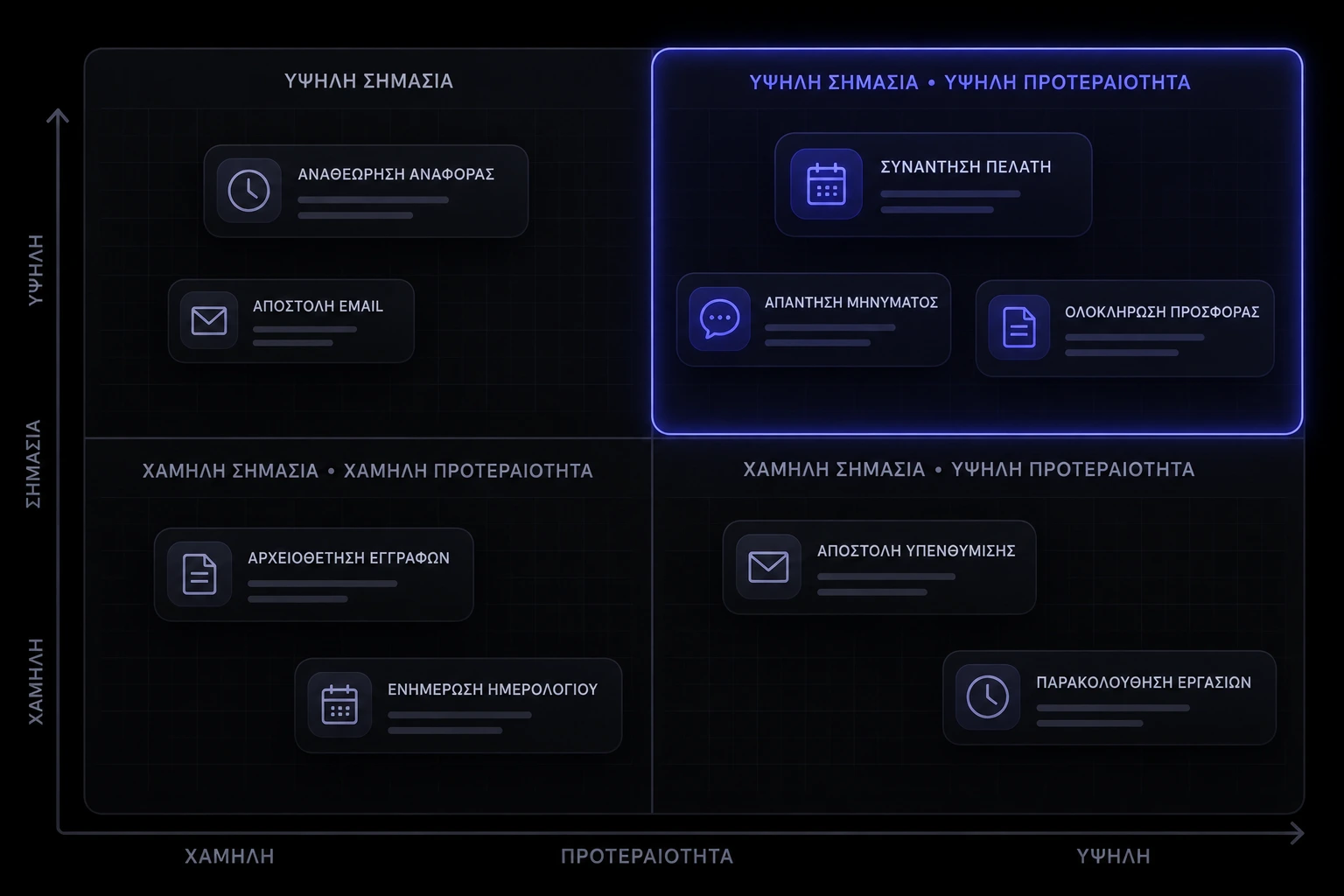
You do not need a 50-app stack. You need a way to automate small business admin tasks in the right order — the jobs that repeat every week, leak money, or steal the hours you should spend with clients. Scheduling, invoicing, reporting, and client comms all feel urgent. Only one of them is first.
Why do admin tasks eat so much of a small-business week?
Because they look like work. Copying a booking into a calendar, chasing a PDF, rebuilding the same numbers in a sheet, answering the same three questions in email — none of it is the craft you sell, and all of it expands to fill the afternoon. Knowledge workers still spend most of the day on "work about work" rather than skilled or strategic work: Asana's Anatomy of Work Index put that share at 58%, with people estimating improved processes could give back about 4.9 hours a week [1]. The same research found teams bouncing between roughly nine apps a day, which is how a simple follow-up becomes a scavenger hunt [1] [2].
On a small team it is worse, because the owner is the admin department. Zapier's survey of US small and mid-size businesses found 94% of those workers still do repetitive, time-consuming tasks, with data entry and invoice management among the heaviest [3]. McKinsey's activity-level research is the same idea at economy scale: a large share of what people are paid to do is technically automatable with tools that already exist — about 45% of activities, not 45% of jobs [5]. You are not behind. You are doing work a calendar, an invoice, or a form should have done last Tuesday.
Which admin tasks should I automate first?
The first one is not the trendiest tool. It is the task that is frequent, rules-based, expensive when it fails, and already leaking into your evenings. For most owners that shortlist is four buckets: scheduling, invoicing, reporting, and client comms. Zapier found the most common automations are still the unglamorous ones — reducing manual data entry, managing documents, and following up with leads — and 66% of those SMBs now call automation essential, not optional [3]. Eighty-eight percent said it helps them compete with larger companies by moving faster and spending less time on busywork [3].
- Frequent. If it happens fewer than a few times a month, a checklist beats a subscription.
- Rules-based. If a competent assistant could do it from a one-page SOP, software can usually do it too [5].
- Costly when it fails. A missed booking, a late invoice, or a client waiting on a reply is cash or reputation, not just inconvenience [6] [9].
- Already leaking. If you redo it after hours or it lives in three places, it has already won. That is the one to fix first.
How do I score scheduling, invoicing, reporting, and client comms?
Give each bucket a 1–5 on four questions, then multiply. You want a ranking, not a vibe. Write the scores on paper. If two buckets tie, pick the one that touches money or a live human first.
- Volume. How many times a week does this happen without you? High volume beats a once-a-quarter report.
- Error cost. What happens when it is late or wrong — a no-show, a cash-flow hole, a client who thinks you forgot them [6] [9]?
- Manual minutes. How long does one cycle take if you include hunting for the file, not just the click?
- Readiness. Do you already have the inputs in one place — a calendar, a client list, invoice lines — or would you be automating a mess?
A high volume × error-cost score with decent readiness is your first project. Reporting almost always loses this round unless you are making real decisions from numbers you currently rebuild by hand. Client comms wins when the same three emails go out after every job and nobody can find the last version. Scheduling wins when the diary is the business. Invoicing wins when you are doing the work and still chasing the PDF.
When is scheduling the first thing to fix?
When the calendar is how you get paid. Salons, clinics, consultants, tutors, anyone who sells a slot: if bookings still arrive as texts, voice notes, or "are you free Thursday?", you are running a call centre, not a diary. Automated scheduling is the opposite of that ping-pong — the client picks a time that is actually free, gets a confirmation, and the slot is blocked [6]. Calendly's own customer research reported that 88% of sales customers saw meeting no-shows drop once reminder workflows were in place [6]. That is not a vanity metric. An empty chair at 2pm is a missed invoice.
If people already try to book from your site or Instagram bio and you still retype every slot into a personal calendar, stop buying more marketing. Fix the booking path. A booking system on the website beats another round of DMs, and the same problem shows up when bookings live only in chat — see our note on bookings that never leave the inbox. Reminders, reschedule links, and a buffer between appointments are the first automations, not a 40-feature roster app.
- You sell time. If the unit of revenue is an appointment, scheduling is usually first.
- No-shows hurt. If a missed session is hard to refill the same day, automated reminders are cheaper than a new ad [6].
- Two people cannot share the diary. If only you know who is booked, the business cannot take a day off.
When should invoicing come before everything else?
When cash arrives later than the work, and you are the person writing the chase. Invoice management was one of the most time-consuming tasks in Zapier's SMB survey — 33% of those workers named it [3]. The SBA's finance guidance is blunt about the owner metric: you should be able to see what is owed, what is overdue, and what you will not start until it clears [9]. A pretty PDF that still waits for you to remember it is not a system.
Fix the sequence, not the stationery. Deposit before kickoff. An invoice that goes out when the job is marked done, not when you next open the laptop. A pay link the client can tap (Stripe, PayPal, or the equivalent in your accounting tool) instead of a file they have to print [7] [8]. Automatic reminders before the due date and after it, which QuickBooks and similar tools already ship as a feature, not a custom build [12]. Xero's invoicing flow is the same idea: send, track, remind, without rebuilding the numbers [8].
- You invoice after the work. If the money depends on you remembering to send a file, invoicing is first.
- You have more than a handful of open invoices. A wall of "I'll chase them Friday" is a process failure [9] [12].
- Clients ask how to pay. If they cannot pay in one tap, the invoice is the bottleneck, not their manners [7].
What about reporting — is a dashboard even worth it yet?
Usually not first. A dashboard is only useful if a number changes what you do on Monday. Rebuilding the same three figures from four exports is real pain, and McKinsey's point still holds: collecting, processing, and moving information is exactly the kind of activity machines already handle well [5]. But a live chart of vanity traffic will not pay the rent. Automate reporting when you currently spend an afternoon assembling a pack you actually use — cash in, jobs booked, invoices overdue, utilisation — and the inputs already live in systems, not in your head.
- You already decide from the numbers. Hiring, pricing, or saying no to a job depends on a weekly pack you currently assemble by hand.
- The sources exist. Bank, calendar, and invoices can be exported. You are not waiting on a shoebox.
- One person owns the definition. "Revenue" means the same thing every week or the dashboard will lie to you.
If those three are not true, leave reporting in a simple sheet and go back to scheduling or invoicing. A business system that feeds one owner view is a later project, after the source data is trustworthy.
Should I automate client comms before the back office?
Yes, when the same message goes out after the same event and you still write it from scratch. Welcome notes, "here's how to prepare", "your session is tomorrow", "invoice is attached", "how did it go?" — that is a sequence, not a personality. Zapier's how-we-work survey found people who use automation at work are far less likely to have considered leaving than people who do not (14% vs 42%), and most said they feel better when they can focus on work they actually enjoy [4]. Clients feel the other side of that: a consistent reply is care, not a robot.
Do not automate the conversation that still needs judgment. Automate the confirmation, the reminder, the intake form, and the "we got this" after a form submit. Leave the weird edge cases to a human. If you are already booking online, those messages belong next to the calendar, not in a separate marketing toy [6]. If the site is the front door, a short website checklist still matters: the form has to land somewhere you will see, or the automation is a black hole.
How much time do I need to save before a tool is worth it?
Less than you think, if the failure is expensive. Asana's respondents estimated improved processes could return about 4.9 hours a week — more than six working weeks across a year [1]. You do not need that whole number from one tool. You need one loop that currently costs you an hour twice a week, or one no-show a month that is worth more than the software. Zapier reported that 34% of SMBs using automation said it cut time on administrative tasks, and 34% said automating data entry reduced errors [3]. Error reduction is a time save you feel in refunds and apologies, not in a timesheet.
Do the ugly napkin math. Minutes per cycle × times per week × your real hourly rate (what you could bill, not what you pay yourself). Then add the cost of a miss. If a $30/month scheduler prevents one empty slot, it has already paid. If a reminder sequence collects one invoice a week earlier, your cash-flow argument is done [9] [12]. Price the first automation against that, not against a fantasy of a 40-hour week returning overnight. Website and systems pricing is only useful once you know which job the build is replacing.
Should I buy a SaaS tool or build something into the website?
Buy when the job is standard and the tool already does 80% of it. Scheduling widgets, invoice reminders, and form-to-inbox are solved products [6] [7] [12]. Build when the workflow is yours: a client portal that matches how you actually deliver, a booking flow tied to packages only you sell, an internal board that your off-the-shelf CRM keeps fighting. McKinsey's caution is useful here too — technical feasibility is not the same as "we should automate this tomorrow". Cost to set up, quality of the result, and whether people will actually use it all matter [5].
- Buy. The process is common, you can live with their rules, and you can export your data later.
- Build. The process is how you make money, several tools would have to be duct-taped, or staff will not log into a fifth login. That is when a custom web app earns its keep.
- Connect. Often the win is not a new product. It is making the calendar, the invoice, and the form talk to each other so nobody retypes names [3].
How do I avoid ending up with a messy pile of apps?
One source of truth per object: people, appointments, money, files. Everything else is a view. Asana's Index keeps finding teams living in too many tools — on the order of nine apps a day — which is exactly how "we automated it" becomes "I still can't find it" [1] [2]. Before you add a login, ask where the record will live and who is allowed to change it.
- Name the system of record. Calendar owns times. Accounting owns invoices. One list owns clients. No second list "just for now".
- Kill the shadow copy. If the tool cannot become the place people look, do not buy it.
- Lock access. Shared passwords in a group chat are not a process. NIST's small-business cybersecurity basics — unique logins, updates, backups — apply to the invoice tool as much as the website [10]. If you have Australian clients, the Privacy Principles are a clean checklist: collect what you need, say why, keep it somewhere you can lock [11].
- Write the exception path. What happens when the form fails, the reminder does not send, or a client pays the wrong amount? If that path is "text me", you still have a job.
What does a sensible 90-day plan look like?
Thirty days to pick and ship one loop. Thirty days to make it boring. Thirty days to decide whether the next bucket is even needed. That is enough time to see if no-shows, time-to-cash, or "hours I spent chasing" actually moved — the SBA cash-flow view and reminder tools are how you check invoicing; reminder workflows are how you check scheduling [6] [9] [12].
- Days 1–30. Score the four buckets. Pick one. Map the current steps on a page. Ship the smallest version: online booking with reminders, or invoices with a pay link and two automatic nudges.
- Days 31–60. Stop running the old path. If people can still text you a time or skip the deposit, the automation is optional and will die. Measure one number weekly.
- Days 61–90. Only then score the remaining buckets again. The second project should be smaller than the first, because you now know how you actually adopt tools.
How will I know the first automation actually worked?
You will spend fewer evenings on it, and the failure you cared about will show up less. For scheduling, that is no-shows and double-books, plus whether a colleague can run the diary without you [6]. For invoicing, that is days from "work done" to "paid", and the share of invoices that collect with no personal follow-up [8] [9] [12]. For comms, it is how often someone asks a question your last email should have answered [4]. For reporting, it is whether you opened the pack before a decision, not whether the chart looks expensive.
If those numbers have not moved in 60 days, you automated a PDF, not the job. Turn the tool off, go back to the score, and pick a smaller loop. The goal was never a stack. It was one admin task that no longer needs you in the room.
Sources & references
- Asana — Anatomy of Work Global Index 2023.
- Asana — Anatomy of Work.
- Zapier — The 2021 state of business automation.
- Zapier — Automation makes workers less likely to quit.
- McKinsey — Four fundamentals of workplace automation.
- Calendly — Workflows: automate reminders and follow-ups.
- Stripe Docs — Invoicing.
- Xero — Send invoices.
- US Small Business Administration — Manage your finances.
- NIST — Small Business Cybersecurity.
- OAIC — Australian Privacy Principles.
- QuickBooks — Invoice reminder emails.
Figures, product names, and pricing may change after publication; verify with the source before relying on them.
Want help picking which admin task to fix first?
Talk to us arrow_right_alt